Posts

Showing posts with the label ine

LD_PRELOAD (ine)

Image
  In this lab, when we check the sudo configuration for the student user, we find that they can run apache2 as root and they can set the environment variable LD_PRELOAD ld is a common linker found on linux systems. A linker takes different object files and links them into a final executable binary. The LD_PRELOAD environment variable lets us set a path to an object file which will be loaded by ld before anything else. From an attacker's point of view, this opens an opportunity to perform malicious acts on the compromised machine. In this example, we can exploit this to gain elevated privileges. We first of all need to create a malicious c file which will open a bash session using the uid and gid of the root user - on linux this is the number 0 In the example above, I have used the echo command with the -e flag so I can use escape characters. I have done this as I wanted to include newlines using \n The c code looks as follows: #include <stdio.h> #include <sys/types.h> #...

Shared Server (ine)

Image
  In this lab, we are given access to a server which is being used as a place for web app developer students to serve their projects. Knowing the purpose of the compromised machine, we navigate to the /var/www/html directory and start to enumerate sensitive strings. It is always a good idea to have a look on the system for strings such as: password username db_username db_password db_user db_pass passwd This can be done in various ways - I like to color the discovered strings in red. The command I used to find the creds on this box is: find . -type f -exec grep --color=auto -ie "db_password" --color=always {} /dev/null \; It was logical to next have a look inside the file of interest. Now it was a simple matter to check for password reuse.   This lab shows us the importance of enumerating sensitive strings and checking for easy wins such as password reuse. The web-root directory and its child directories are a good place to look for sensitive creds being leaked. I hope this ...

Enumerating Log File (ine)

Image
  In this lab, we find an instance of the postfix mail server running whilst we are enumerating the running processes. We can have a look at the log files for this service. Linux logs just about everything and by default stores the resulting files in /var/log In this case, the default location has been changed by somebody so we need to search elsewhere. Log files help admin and other users know what is going on with the system - they often contain error messages. These files are therefore of interest to attackers as they can help us understand the compromised system and perhaps they will leak sensitive data. There are lots of log files, though, so it makes sense to look into those which relate to running processes and services. The files themselves can be quite long, so we can utilize the tail command - this is useful as often the most useful error messages are found towards the end of the log file. The log file for the postfix mail service has leaked sensitive data - it was a good...

Cron Jobs Gone Wild (ine)

Image
  In this lab, we have compromised a machine but we only have access as the low privileged user called student. This means that if we try to enumerate cronjobs using techniques such as looking at the crontable, we will not see those which have been scheduled to run as root. We therefore need to enumerate the cronjobs in different ways. One way is to use the pspy tool. This shows running processes including cronjobs scheduled by root. Another way is to enumerate the box looking for interesting files and tar archives. We want to look for files which we can write to just in case they are being used by a cronjob and we can amend them. The command to use is: find / -path /proc -prune o -type f -perm -o+w 2>/dev/null We want to look into interesting tar archives as they might be backing up directories via a cronjob using the * wildcard. This can be exploited to elevate our privileges. In order to unarchive and unzip a tar.gz file, we can use: tar -zxvf monitor.tar.gz Whilst enumeratin...

Enumerating DNS Servers

Image
The goal of this lab on ine   was to enumerate the DNS server to discover as much as possible about the domain witrap.com In my other (first) post about enumerating DNS servers (Information Gathering Lab) I mentioned that I would show how we can brute-force subdomains and look for machines which only respond to reverse DNS lookups. These techniques are covered in this post. My first job was to find out more about the network my attacking machine was connected to. The ip addr command revealed that it was on a /24 network 192.36.208.0/24 The IP address of the attacking machine was 192.36.208.2 I decided to start off by using nmap to perform an ICMP scan. I followed this up with a fast half-open SYN scan as sometimes ICMP traffic is blocked or dropped by firewalls. I then specifically targeted DNS servers by performing a UDP scan against port 53 and then another half-open SYN scan against port 53 but with the --source-port switch set to 53 as sometimes DNS servers will only...

Hacking WordPress

Image
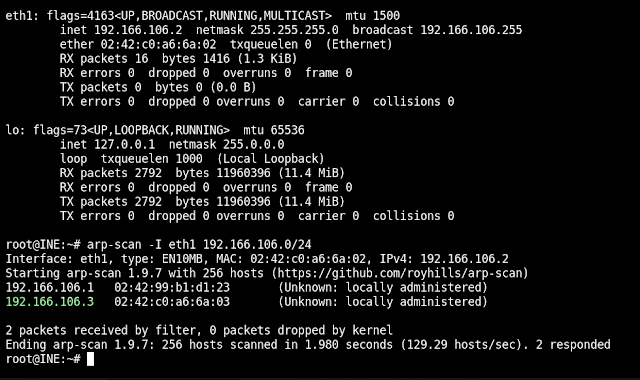
  The goal of this lab was to hack into a WordPress blog and recover the flag. I started by using arp-scan to find live hosts. Once I had identified one, I used nmap to scan for open ports. Nmap discovered that only port 80 was open, so I then probed port 80 more aggressively and discovered that a WordPress powered website was being served on it. Lots of attacks against WordPress rely on taking over an administrator account, so I wrote a bash script to enumerate users on the website. This script simply iterates through the numbers 1 to 50 and checks them in the ?author parameter. We can also do this using a list of potential user names, but I find using numbers is more reliable. This enumeration discovered that the default admin account was being used on this website. The next step was to brute-force the password. This can be done using WPScan along with this command  wpscan --url http://demo.ine.local --passwords /home/user/passwords.txt but WPScan was not installed on the at...